Moodboarding is one of my favorite parts of any branding project.
It's the stage where ideas start to take shape. You're not worrying about layouts or typography yet. You're exploring visual directions, collecting references, and trying to capture a feeling before you design anything.
It's also one of the most time-consuming parts of the creative process.
That made me wonder:
Can AI actually make moodboarding better, or does it just make it faster?
To find out, I started my 25-day challenge by putting AI to the test.

Challenge Objective
For Day 1, I created a fictional premium streetwear brand called MONOLITH.
The idea was simple. Simulate a real client moodboarding workflow for a fictional premium streetwear brand called MONOLITH. Using an AI-augmented workflow while keeping human taste at the center.
Starting Without AI
Before opening any AI tool, I spent time defining the brand.
I wrote down its positioning, target audience, personality, visual language, and emotional direction.
MONOLITH is a premium streetwear brand inspired by architecture, materiality, and restraint. It's designed for people who appreciate thoughtful design over trends and craftsmanship over logos.
I wanted the creative direction to come from my own understanding of the brand, not from AI.
That became the foundation for everything that followed.
The Tools I Tested
Instead of relying on a single AI tool, I experimented with several, each serving a different purpose in the workflow.
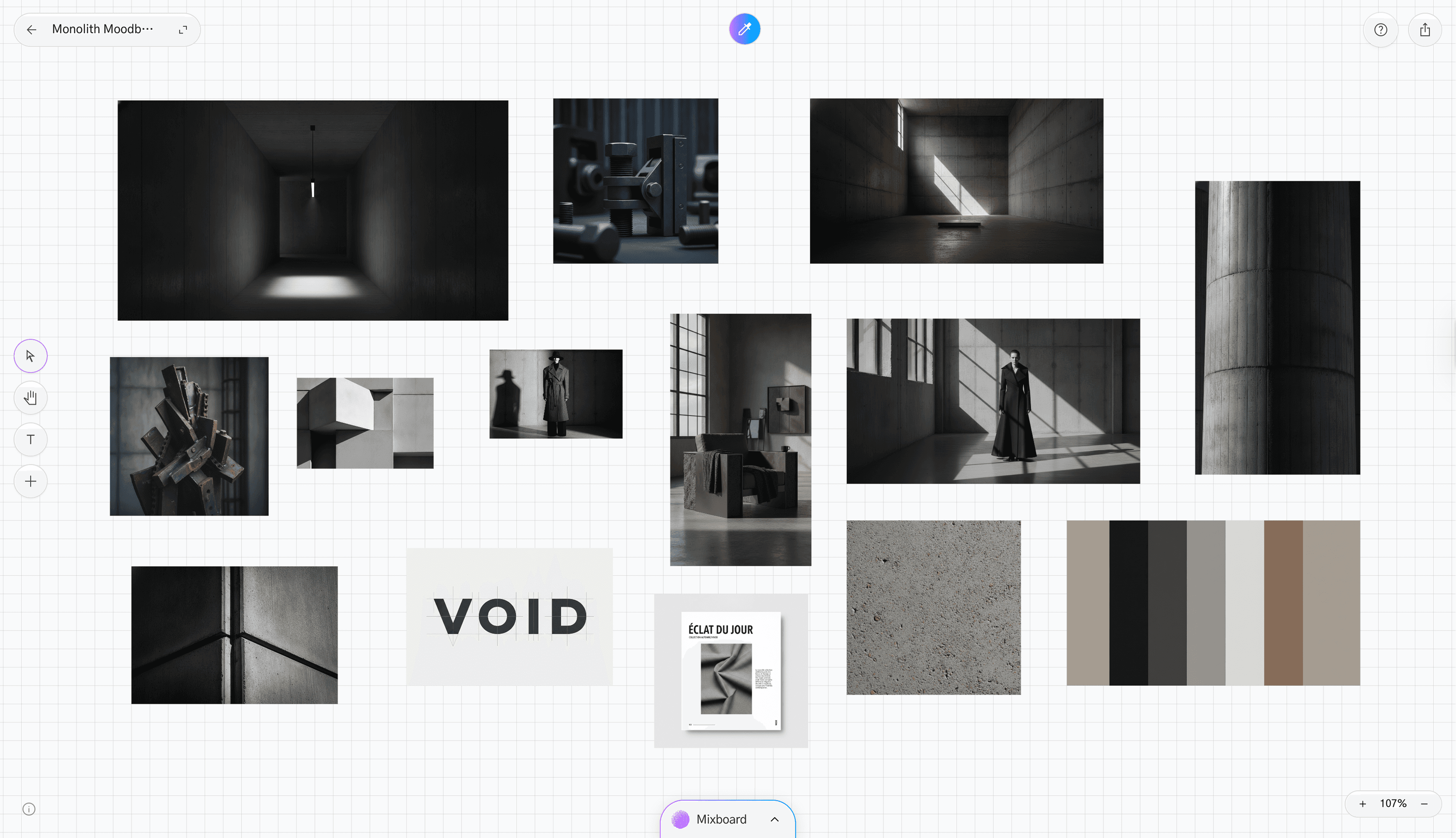
Google Labs Mixboard
This quickly became one of my favorite tools during the experiment.
Rather than generating a finished moodboard, it helped me explore different visual directions by combining references in interesting ways. It made the research phase feel much faster and gave me ideas I probably wouldn't have considered on my own.
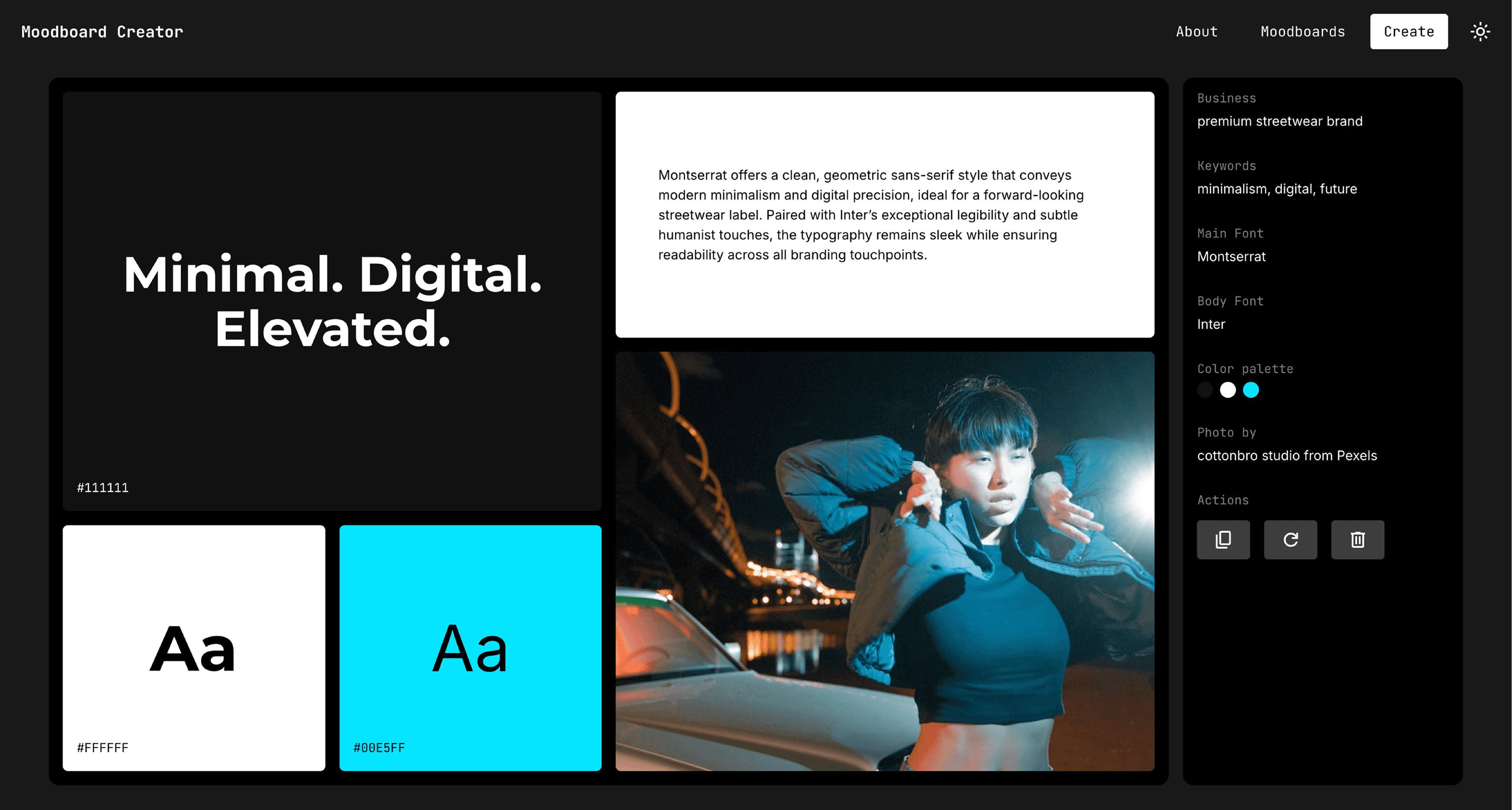
Moodboard Creator AI
I was excited to try this one, but the results didn't fully meet my expectations.
The generated moodboards had interesting ideas, but they often lacked the level of cohesion and refinement I was looking for. For quick inspiration, it works well. For a premium creative direction, it still needs a lot of human input.
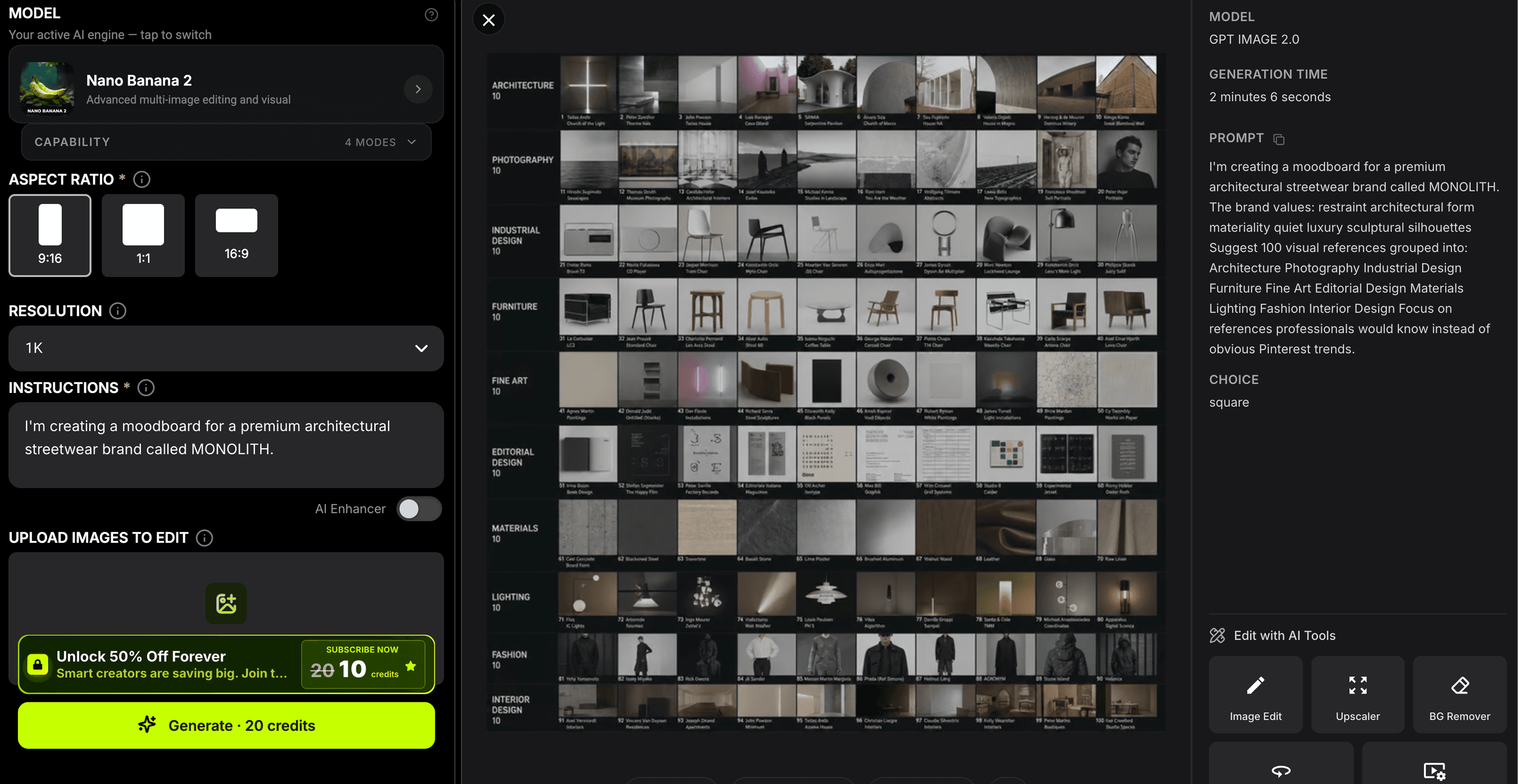
Pixazo AI
Pixazo stood out because of the sheer number of references it could generate.
Instead of focusing on one perfect image, it gave me dozens of different directions to explore. That made it incredibly useful during the discovery phase.
The challenge wasn't finding references. It was deciding which ones actually belonged together.
Midjourney & Nano Banana
These became my tools for generating custom visuals.
Once I had a clear creative direction, they helped me create imagery that matched the mood I wanted instead of relying entirely on existing references.
Canva AI & Miro AI
These tools were useful for quickly assembling moodboards.
For beginners or anyone trying to communicate an idea quickly, they're a great starting point.
For more refined creative work, I still preferred building the final boards manually so I could control every detail.
What Surprised Me
I expected AI to generate beautiful images. It did. What surprised me was how much faster it made exploration.
Normally, I'd spend hours searching through Pinterest, Are.na, Behance, and design archives. With AI, I could explore multiple creative directions within minutes. That didn't replace research. It expanded it.
Instead of following one idea, I could test five different directions before committing to one.
Where AI Still Falls Short
The biggest challenge wasn't generating images. It was building a story.
A moodboard isn't just a collection of beautiful references. It's a visual narrative. Every image should support the same idea, the same emotion, and the same creative direction.
AI can generate hundreds of references. It can't tell you which ten belong together. That's still a creative decision.
My Biggest Takeaway
This experiment reminded me that AI works best as a creative partner, not a creative replacement. It accelerates exploration. It speeds up research. It helps you discover unexpected ideas.
But taste, judgment, and storytelling still come from the designer. The strongest moodboards weren't created by one tool.
They came from combining different AI tools with human curation and intentional decision-making.
What's Next?
This was only Day 1 of my 25-day challenge.
Over the next few weeks, I'll continue testing AI across different parts of the design process, from competitor research and brand strategy to wireframing, UI design, development, and beyond.
If Day 1 taught me anything, it's this:
AI can help you find more ideas. Human creativity decides which ones are worth bringing to life.
The goal isn't to find the "best" AI tool.
It's to build a workflow where AI handles the repetitive work, leaving more room for creativity, strategy, and thoughtful design.
Subscribe to my newsletter

Its time to work on your project now!
Have a project in mind? Let’s hop on a call and make it happen.
Akansha
Booking Projects for Q3